The best AI voice generator for YouTube is the one that sounds realistic in your niche's language and accent, lets you direct emotion line by line, and gives you a commercial license for a monetized channel. Price per minute and the size of the voice library matter less than those three. This guide shows how to test a tool in 20 minutes and what YouTube's own rules say about AI voiceovers, checked on 27 November 2026.
If you already know what you need, you can try the AI voiceover generator with your own script and compare it to what you use today.
What makes an AI voice generator good for YouTube?
YouTube voiceovers have a specific job: keep people watching. A voice that is fine for reading an article aloud can still lose viewers in the first ten seconds of a video. These are the five things that separate a YouTube-ready tool from a generic text to speech app:
- Realistic delivery over long scripts. A 12-minute video is roughly 11,000 characters. The voice has to stay consistent from the hook to the outro, without drifting in pace or tone.
- Direction, not just a voice picker. The hook needs energy, the explanation needs calm, the twist needs a pause. You want emotion tags or style notes per line, and a speed control.
- The right accent for your audience. A General American voice and a British RP voice land differently with a US or UK audience. Niche channels (history, true crime, finance) often depend on a recognizable narrator sound.
- A commercial license. A monetized channel is commercial use. Many free tiers are personal use only, so check before you upload.
- Clean export. WAV or high-bitrate MP3 at 48 kHz, ideally already mastered to YouTube's loudness (around −14 LUFS), so you do not have to fix levels in your editor.
How to choose: a comparison checklist
Use this table when you compare two or three tools side by side. The right column shows how Voicefinder answers each point, so you have one reference to measure others against.
| What to check | Why it matters on YouTube | Voicefinder (Voyager 1) |
|---|---|---|
| Voice realism | Viewers leave if the narrator sounds flat | Voyager 1, more natural than ElevenLabs v4 on TTS Bench |
| Emotion and direction | Hooks, reveals and calls to action need different reads | Emotion tags per sentence ([excited], [whispers], [serious]…) and speed control |
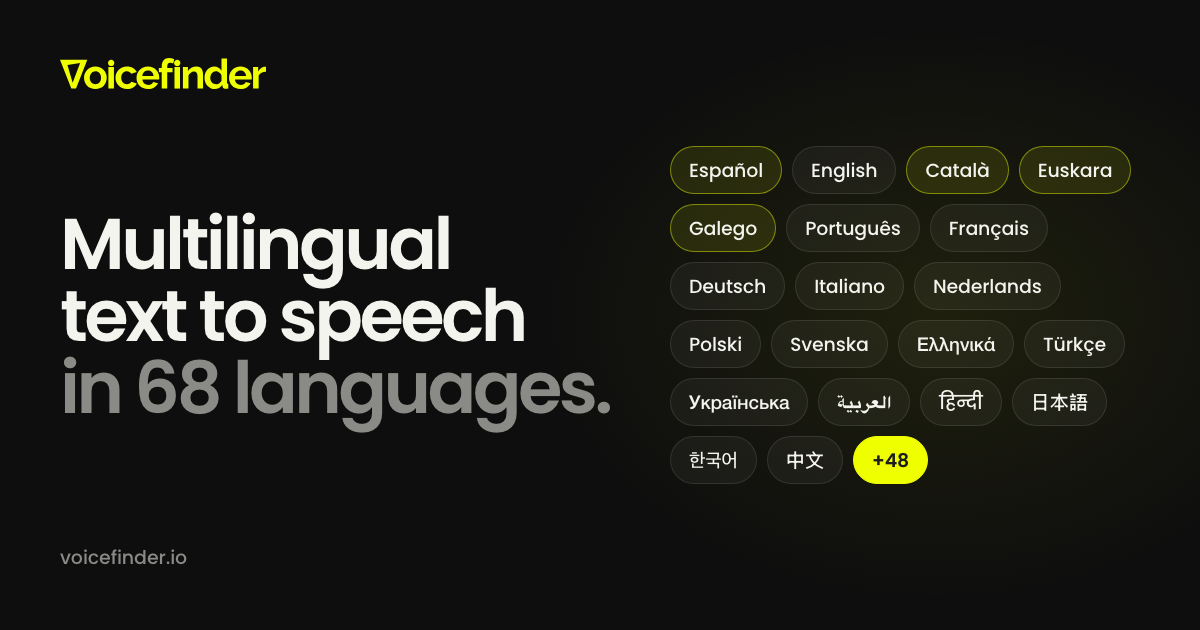
| Voices and accents | Your audience should hear a local voice | 800+ voices in 55+ languages, with American, British, Scottish, Irish, Australian and other accents |
| Commercial use | Required for a monetized channel | From Basic ($12/month); Free is personal use only |
| Audio quality | Clean audio survives YouTube compression | 48 kHz MP3 on every plan, 48 kHz WAV from Basic, mastering for YouTube |
| Music and sound effects | Saves a trip to another tool | Sound effects written into the script and a music library in the same studio |
| Your own voice | Keeps the channel's identity when you cannot record | Voice cloning from under 10 seconds of audio, with consent |
| Other languages | Reach viewers who do not speak English | AI dubbing into other languages |
Hear two YouTube voiceovers made with AI
Both clips were generated in the Voicefinder studio with catalogue voices and no editing afterwards. The first is a short-form hook, the kind that opens a Short or a tech video. The second is a documentary-channel narration with a mysterious read.
Notice what changes between them: the pace, the energy, how each sentence ends. That is direction, and it is what makes an AI voiceover feel produced instead of read. Our guide on how to make an AI voice sound realistic goes deeper into tags and pacing.
Does YouTube allow AI voiceovers on monetized channels?
Yes. YouTube does not ban AI voices or text to speech. What it restricts is low-effort, mass-produced content, whatever tool made it. Two official policies apply:
- Monetization (YouTube Partner Program). On 15 July 2025 YouTube renamed its "repetitious content" policy to "inauthentic content" and clarified that it covers content that is "repetitive or mass-produced". The policy says that if you use automated tools, "the final product must still demonstrate your creative vision". (YouTube channel monetization policies)
- Disclosure of altered or synthetic content. YouTube asks creators to disclose AI-generated or altered content "that seems realistic", for example a realistic voice that makes a real person appear to say something they did not. Its examples of what does not need disclosure include "cloning one's own voice to create voice overs or dubs". (YouTube Help: disclosing altered or synthetic content)
In practice: an original script, your own research and editing, and an AI narrator is a normal YouTube video. A channel that uploads dozens of near-identical, templated videos is at risk whether the voice is AI or human. And never use an AI voice that imitates a real person without their permission.
How to make a YouTube voiceover with AI in 6 steps
- Write for the ear. Short sentences, one idea each. Put the hook in the first line. Write numbers and acronyms the way they should be said.
- Cast the voice. Pick three candidates with the right accent and age, and generate only the first two sentences with each. Listening to the hook is enough to decide.
- Direct each section. Add a tag where the energy changes: [excited] for the hook, [serious] for the explanation, [whispers] for a reveal. Try speed 1.1 to 1.2 for Shorts, where pace sells.
- Fix pronunciation once. Brand names, place names and jargon go in the pronunciation dictionary so every future video says them the same way (on Voicefinder, your own dictionary comes with Plus; the global one is on every plan).
- Add music and effects. A bed of music under the narration and a few sound effects in the script (a whoosh, a notification) make the cut feel finished.
- Export for YouTube. Download WAV or MP3 at 48 kHz, mastered for YouTube, and drop it into Premiere, DaVinci Resolve or CapCut.
How much does an AI voice for YouTube cost?
Most AI voice tools charge by characters. At an average pace, one minute of English narration is about 1,000 characters (we measure around 972 per minute). That gives a simple way to estimate your monthly need:
| Upload schedule | Characters a month (approx.) | Voicefinder plan that covers it |
|---|---|---|
| 4 Shorts a week (45 s each) | ~13,000 | Basic, $12/month (100,000 characters) |
| 1 ten-minute video a week | ~42,000 | Basic, $12/month |
| 3 ten-minute videos a week | ~126,000 | Plus, $22/month (200,000 characters) |
| A daily ten-minute faceless channel | ~290,000 | Pro, $99/month (1,200,000 characters, 5 seats) |
Retakes cost characters too, so leave some margin. Emotion tags are not counted as characters on Voicefinder, and re-downloading a take you already made is free. See all plans on pricing.
Which voice fits which kind of channel?
- Documentary, history and true crime: a lower, slower narrator. Start with the narrator voices or deep voices.
- Tech, tutorials and explainers: a clear, friendly General American or British voice at a natural pace. Browse American accent and British accent voices.
- Kids and storytelling: warm voices with range for characters; see storyteller voices.
- Trailers, gaming and hype edits: an epic read with long pauses; see movie trailer voices.
- Channels in Spanish or for US Hispanic viewers: pick the country, not just the language. The Spanish text to speech page covers Mexican, Latin American and Castilian voices.
Should you clone your own voice for YouTube?
If the channel is built around your voice, cloning it keeps that identity on days you cannot record, and fixes a line without setting up the mic again. YouTube's own help page lists cloning your own voice for voiceovers or dubs as something that does not need a synthetic-content disclosure. On Voicefinder, a clone needs under 10 seconds of clean audio, you confirm it is your voice or that you have consent, and every file carries an inaudible AudioSeal watermark and C2PA Content Credentials. More in AI voice cloning.
FAQ
What is the best AI voice generator for YouTube?
The one whose voices sound realistic in your channel's language and accent, that lets you direct emotion per line, and that includes a commercial license. Test two or three tools with the first lines of your own script before you decide.
Can I monetize YouTube videos with an AI voiceover?
Yes. YouTube's monetization policies do not prohibit AI voices. They exclude mass-produced, repetitive content, and they require the final video to show your creative input. You also need a commercial license from your voice tool.
Do I have to label AI voiceovers on YouTube?
YouTube requires disclosure of realistic altered or synthetic content, such as making a real person appear to say something they did not. Its help page says cloning your own voice for voiceovers or dubs does not need disclosure. Check the current help page for your case.
How many characters is a 10-minute YouTube video?
About 10,000 characters in English at a normal pace. Faster delivery for Shorts uses a bit more per minute.
Can I use the free plan for YouTube?
On Voicefinder, Free is for personal use, so it works for testing voices but not for a monetized channel. Commercial use starts on Basic.
Which format should I export for YouTube?
48 kHz WAV or MP3. If the tool masters the mix to about −14 LUFS, your voiceover will sit at the level YouTube expects.